.png)
.png)
Hey folks,
As we head into 2026, it’s already clear this is shaping up to be our busiest year yet. Event volumes are up, timelines are tighter, and more of you are running complex programs with less room for friction.
That context has been guiding a lot of our recent product work. You’ll notice this Product Pulse is focused on a single update. That’s intentional. A lot of our effort right now is going into stability, scale, and the less visible work that keeps everything running smoothly when volumes spike. We’re still moving quickly behind the scenes, but we’re being deliberate about what we put in front of you.
We’ve been focusing less on shiny new features and more on removing the small points of friction that slow you down when you’re already juggling a hundred things. One of the most common examples is sharing information inside an event in a way that feels intentional and easy for attendees to navigate.
That’s what this update is about.
What’s New
Custom Pages, Reworked
Custom Pages have been part of PheedLoop for a while, but they were fairly rigid. Over time, that rigidity led to workarounds, scripts, and one-off solutions when organizers needed to share information in a more contextual way.
We’ve rebuilt Custom Pages around how they’re actually used.
Custom Pages now support different types depending on the job at hand. You can create full pages for longer, structured content, add external links that live naturally within portal navigation, or use dialogs and pop-ups to surface short, contextual information at the moment it matters. Instead of forcing everything into a single format, you can now choose the right presentation for the content you’re sharing.
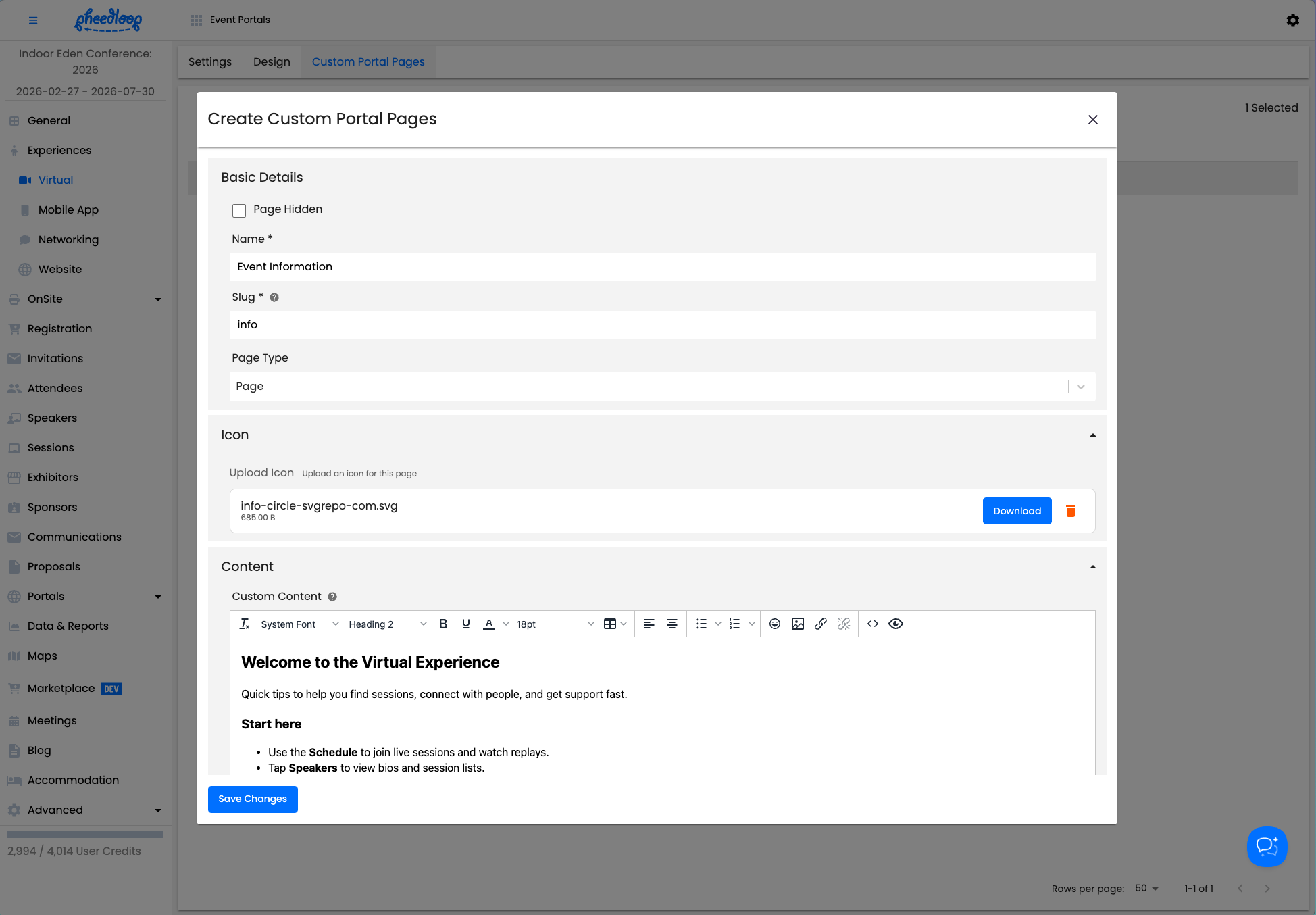
We’ve also added better control over how Custom Pages appear in navigation. Each page can now have its own SVG icon, making it easier to align with your event branding and create clearer visual hierarchy, especially for content-heavy portals where structure really matters.
Finally, In a long awaited update, we’ve added custom page support to the virtual portal.
This update is part of a broader shift toward turning common edge cases into built-in functionality. The goal is fewer hacks, fewer steps, and tools that feel more intentional.
Current PheedLoop users can get started with the new Custom Pages feature quickly by following our step-by-step guide in this support article.
.png)
As event complexity increases, small inefficiencies add up quickly. By removing entire classes of workarounds, we make it easier to move fast without introducing fragile setups or needing extra support.
More to come soon.
Thanks for reading, and for continuing to build events with us.
—
Adam Cote
Head of Product
PheedLoop

.png)
.png)
.png)